A Statement of Work (SOW) is a legal document that defines exactly what work will be delivered, when, for what price, and under what terms. A complete SOW has 8 sections: project description, deliverables, timeline, milestones, payment terms, acceptance criteria, change orders, and termination clauses.
What is a Statement of Work?
A Statement of Work — SOW for short — is the document that turns a verbal yes into a real project. It spells out what you're delivering, when, for how much, and how everyone will know it's finished. If a contract is the marriage, a SOW is the trip you're planning together: specific, dated, and budgeted.
SOWs are the connective tissue of professional services. Agencies, consultancies, dev shops, freelancers, and internal teams all rely on them to keep projects honest. Done well, a SOW prevents 90% of the awkward conversations that happen between kickoff and final invoice.
When you need a SOW (and when you don't)
Not every engagement needs a SOW. A 30-minute coaching call doesn't. A $25,000 strategy advisory absolutely does. The threshold isn't really about price — it's about ambiguity.
You need a SOW when:
- The work spans more than two weeks
- Multiple deliverables are involved
- More than two people on either side will touch the project
- Payment is tied to milestones
- You're working with a new client
- There's any chance the scope might grow
You probably don't need a SOW when:
- You're on a fixed monthly retainer with a clearly defined scope
- It's a one-call advisory engagement
- You're a salaried employee doing internal work
What goes in a Statement of Work
Most SOW problems start before the project does — a missing section leaves a gap, and that gap fills with assumptions. Here are the 8 sections every Statement of Work needs, and what each one actually prevents.
- 1Project description and scope
- 2Deliverables (what the client gets)
- 3Timeline and milestones
- 4Payment terms (amount, schedule, method)
- 5Acceptance criteria (how deliverables are approved)
- 6Change order process
- 7Termination clauses
- 8Confidentiality and IP assignment
1. Project description and scope
The scope section answers: what is this project? Write it in plain language, in one to three paragraphs. Describe what you are doing and — critically — what you are not doing. Explicit exclusions ("website design is not included in this engagement") are as valuable as the inclusions. Vague scope is the single most common cause of scope creep. The more precise your opening description, the easier every other section becomes.
2. Deliverables — what the client gets
A deliverable is a specific, tangible output. Use verbs and quantities: "Three logo variants in SVG, PNG, and PDF formats" rather than "logo design." Every deliverable should answer four questions: what is it, how many, in what format, and who receives it. If a deliverable can be interpreted two ways, write it more precisely. Your client should be able to check each item off a list when the project ends.
3. Timeline and milestones
List start date, end date, and named milestones with specific dates. Milestones are more than schedule checkpoints — each one should have a definition of done and, ideally, a payment trigger. "Discovery report delivered and accepted" is a milestone. "Month 1 work" is not. Milestone-linked payments are the single most powerful thing a SOW does for your cash flow.
4. Payment terms
Specify the total fee, payment schedule, invoicing method, and due dates. State what triggers each invoice (milestone completion, calendar date, or kickoff). Include late payment terms: a standard clause is 1.5% per month on balances past due. Never leave payment terms to the contract alone — the SOW should be self-contained for the project manager who doesn't have the master contract open.
5. Acceptance criteria — how the client signs off
Acceptance criteria define how the client formally approves each deliverable. A standard clause: "Client has 5 business days after delivery to provide written feedback; if no feedback is received within that window, the deliverable is deemed accepted." Without this, deliverables live in limbo, final milestones stall, and every project ends with an awkward conversation about what "done" means.
6. Change order process
Scope will change. The question is whether it changes with a paper trail or without one. Define the format: a written Change Request memo specifying the added work, adjusted timeline, and cost — signed by both parties before work begins. Pre-defining your change order rate (hourly or day rate) now means you're not negotiating it when emotions are high six weeks into the project.
7. Termination clauses
A termination clause covers three scenarios: mutual agreement, client termination for convenience, and termination for cause (non-payment, material breach). For each case, define the notice period, what work-in-progress payment is owed, and what happens to deliverables. This section feels uncomfortable to write, but it's the one you'll be grateful for if you ever need it — and it signals professionalism to clients who read carefully.
8. Confidentiality and IP assignment
IP assignment specifies who owns the work product after delivery. The default for custom work is that the client owns it upon final payment — but spell it out. Confidentiality clauses protect both sides: the client's business information and your internal methods. If these are already covered in your master contract, include a brief reference here so the SOW is self-documenting.
The 3 clauses most Statements of Work forget
Most SOW guides cover the 8 standard sections. These three clauses are the ones that actually prevent disputes — and they're the most commonly skipped.
1. The scope-creep boundary clause
This clause defines what happens when a client asks for work that's outside the original scope. Write it plainly: "Any work not explicitly described in Section 2 (Deliverables) requires a signed Change Order before work begins." Then add a catchall for common boundary scenarios in your industry — extra revision rounds, extended review periods, new features requested mid-build.
Without this clause, every out-of-scope request starts a negotiation with an implicit assumption that you'll absorb it. With it, you have a shared reference point that keeps the conversation professional. Clients generally don't push back on a well-written boundary clause — they just want to know the rules before they sign.
2. The change order pricing formula
A change order clause tells clients what happens when scope changes. A change order pricing formula tells them what it will cost — in advance. Pre-define your rate for change order work: either an hourly rate or a day rate, stated explicitly in the SOW. Something like: "Change orders will be billed at $250/hour (or $2,000/day) unless otherwise agreed in writing."
This single line removes the most common friction point in mid-project scope changes. When the client comes to you with a new request, you can calculate the cost in two minutes rather than negotiating your rate while simultaneously managing the project. Pre-defined rates also signal that change orders are a normal, expected part of professional engagements — not a hostile response to a client request.
3. The pause / kill-switch clause
Projects don't always end with a final invoice. Sometimes a client goes dark, a payment is missed, or scope explodes beyond what anyone agreed to. The pause/kill-switch clause gives you a structured way out of each scenario without a dispute.
Define three triggers: (1) client unresponsiveness — if client feedback is not received within [X] business days, work pauses and the schedule adjusts accordingly; (2) missed payment — if an invoice is not paid within [X] days of the due date, work pauses until the balance is settled; (3) material scope change — if the project scope expands beyond [X]% of the original fee, either party may request a renegotiation. Specifying these scenarios in advance transforms a potential conflict into a process.
Statement of Work example (real-world)
Here's what a complete SOW looks like in practice. Hartwell Strategy Partners is engaged by Northwind Studios for a 3-month strategy advisory: total fee $25,000, three milestone payments, three deliverables. All 8 sections shown.
Notice what's not in there: general liability, indemnification, governing law. Those live in the MSA. The SOW stays focused on this one project — which is exactly what keeps it readable and signable.
How to write a SOW, step by step
You don't need a legal team to write a great SOW. You need a template, an hour, and these eight steps.
- 01Get the MSA out of the way firstBefore you write a SOW, make sure there's a Master Services Agreement governing your relationship. The MSA covers liability, IP, confidentiality, and disputes — the legal scaffolding. Your SOW can then stay short and focused on this specific project.
- 02Write the one-sentence scopeDistill the project into a single sentence: "Hartwell will deliver a 3-month strategy advisory for Northwind, covering positioning, pricing, and a 12-month roadmap." If you can't fit it in a sentence, the scope is too broad — split it into multiple SOWs.
- 03List deliverables with verbs and quantities"Three logo variants in SVG and PDF" beats "logo design." Every deliverable should answer: what is it, how many, in what format, and who receives it?
- 04Tie milestones to dates and paymentsMilestones are checkpoints — not vibes. Each one needs a date, a definition of "done," and (ideally) an invoice trigger. This is the single most powerful thing a SOW does for your cash flow.
- 05Write assumptions and exclusionsAssumptions describe what you're counting on (client provides brand assets by Mar 20); exclusions describe what you're not doing (no web design, no print production). Both protect you from scope creep.
- 06Define acceptance criteriaHow does the client formally accept each deliverable? Usually: written approval within 5 business days, otherwise auto-accepted. This is what closes out a milestone and triggers the next payment.
- 07Add a change-request clauseThings will change. Specify the format: a short Change Request memo signed by both parties, billed at an agreed hourly or fixed rate. Pre-define the rate now so you're not negotiating when emotions are high.
- 08Sign and store it where the project livesThe SOW should live in your project workspace, not buried in email. When change requests come up six weeks later, everyone needs to find it in one click.
Common SOW mistakes (and how to avoid them)
After hundreds of SOWs, the same six mistakes show up again and again. Catch them in your first draft.
Vague scope
"Improve the website" is not a scope. Use verbs, quantities, and a clear stop line.
No acceptance criteria
Without acceptance language, deliverables live in limbo and final invoices stall.
No change-request process
A scope change without a paper trail is the #1 cause of late, unprofitable projects.
Burying it in email
If only one person can find the SOW, it might as well not exist. Keep it where the project lives.
Skipping the MSA layer
A SOW alone leaves legal gaps. Pair it with an MSA — you only sign that once.
Pricing without milestones
Lump-sum SOWs invoice slowly. Milestone-tied payments keep cash flow predictable.
SOW vs Contract vs Proposal — what's the difference?
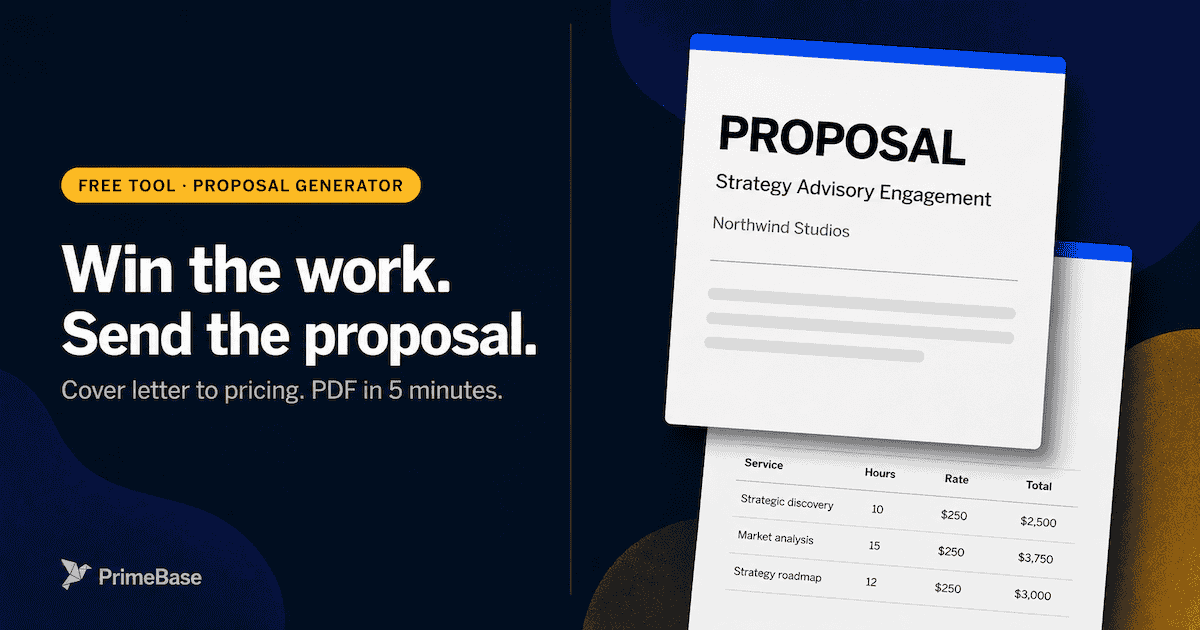
These three documents serve different purposes in the client lifecycle. A proposal closes the deal; a contract (MSA) establishes the relationship; a SOW governs each project. All three can exist in a single engagement — and in a well-run service business, they usually do.
The right sequence: send a Proposal to win the work → sign a Contract (MSA) to establish the relationship → issue a SOW for each project. Once the MSA is in place, future SOWs take 30 minutes instead of three days — because the legal scaffolding is already agreed.
How to send and sign a Statement of Work
Most SOW disputes aren't about what was written — they're about which version was signed, where it lives, and who can find it six weeks later. Getting the send-and-sign process right costs 20 minutes. Getting it wrong can cost the client relationship.
Use eSignature, not email attachments
PDF-over-email creates version chaos: you send a file, get a signature, scan it back, and end up with three versions and no audit trail. eSignature tools — DocuSign, HelloSign, or PrimeBase's built-in signing — create a tamper-evident record with timestamps. Both parties get a countersigned copy automatically. No scanning, no version confusion, no "I didn't agree to that" in week six.
Version control from day one
Name your SOWs with a version number: SOW_Northwind_v1.pdf, then SOW_Northwind_v2_revised.pdf. The countersigned version gets a suffix: SOW_Northwind_v2_EXECUTED.pdf. Never overwrite a file the client has already reviewed. The full revision trail is your protection if terms are ever disputed.
Store it where the project lives
The executed SOW should be one click from the project record — not buried in email. When a scope question comes up in week six, the project manager needs to open the document in ten seconds. Attach it to the project in your project management or CRM tool the day it's signed. If you use PrimeBase for proposals and estimates, the signed SOW attaches automatically to the project and the client portal.
Tools that make SOWs easier
You can write a SOW in Google Docs or Word — most people do. But once you're doing more than one or two a month, three things start to hurt: version control, sending for signature, and connecting the SOW to the actual project.
- Word + DocuSign: Classic. Fine for low volume. Becomes painful when you have 10+ active projects.
- PandaDoc / Proposify: Built for proposals — great if your SOW is also a sales document.
- PrimeBase: Built for service businesses. Your SOW lives with the project, the invoices, and the client portal — so nothing gets lost in email.
- Notion / Coda: Works if your team is small and everything else lives there too. Hard to send for signature natively.
For a deeper look at the documents and eSignature module in PrimeBase, see how it connects to projects and client records without extra tools.
Try the free SOW generator
All 8 sections pre-structured with a sample consulting scenario. Edit anything, download a clean PDF — no email gate, no signup required.
Generate your SOW in 5 minutes.
A guided builder for all 8 SOW sections — scope, deliverables, milestones, payment terms, acceptance criteria, and standard clauses. Pre-filled with a consulting example. Live preview, instant PDF.
How PrimeBase handles Statements of Work
In PrimeBase, you build SOW templates with customer-record merge fields. Send them for signature through the client portal and track view, sign, and download events without bouncing into a separate DocuSign tab. The countersigned PDF lands on the customer record next to the project, the invoices, and the rest of the engagement — one place, not five.
See how it works: documents & eSignature · proposals & estimates
Frequently asked questions
Practical guides on SOWs, invoicing, client onboarding, and the tools that save real time — written for people who run service businesses.