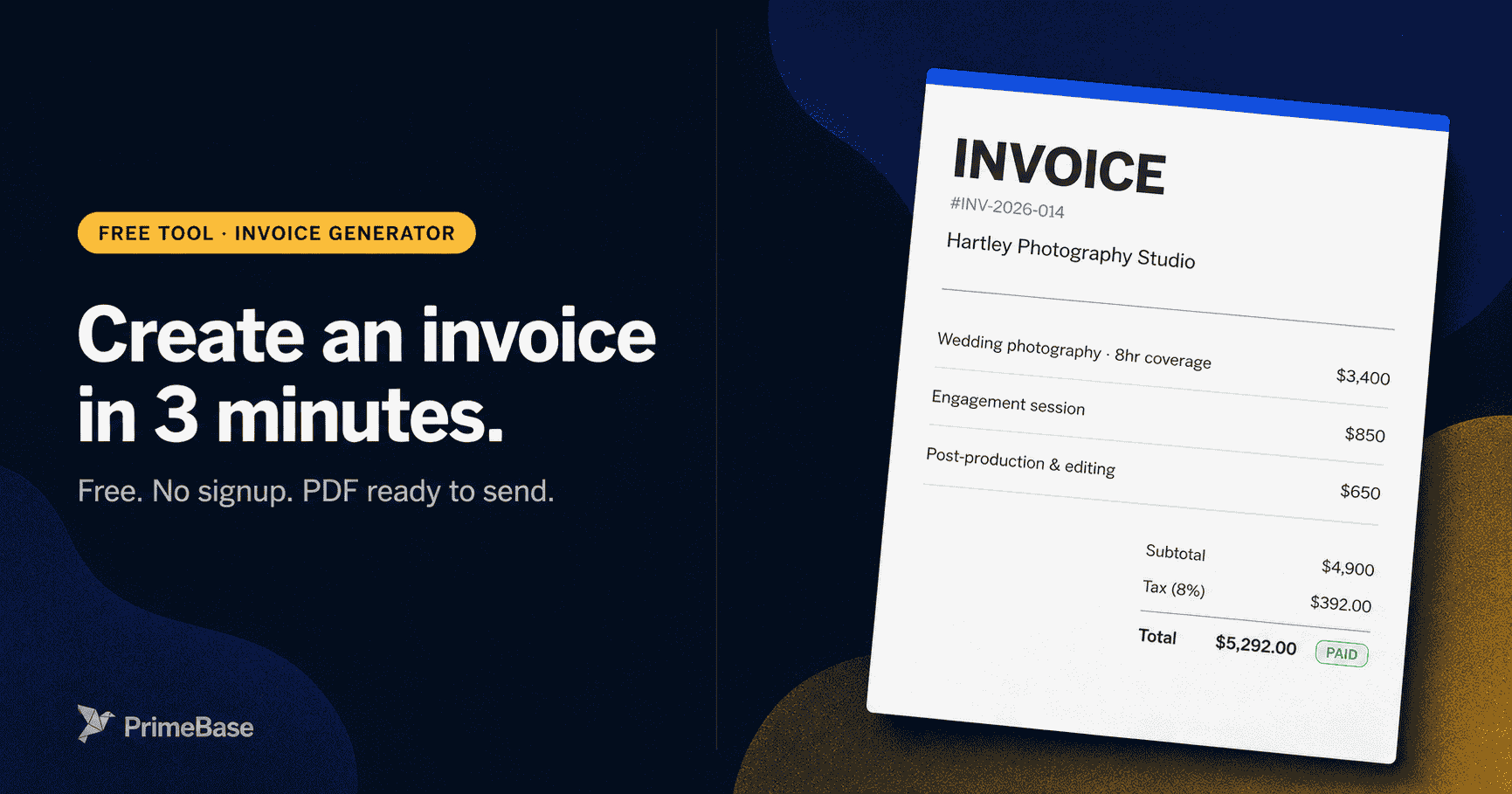
To invoice a client, list the work delivered with clear descriptions, add quantities and rates per line, calculate subtotal and tax, set a due date and payment terms, and send the invoice as a PDF via email. A professional invoice includes a unique number, your business details, the client's details, line items, totals, and how to pay.
What is an invoice?
An invoice is the document that closes the loop between work delivered and money in the bank. Done well, it gets paid in 14 days. Done badly, it joins the pile your client's AP team keeps meaning to ask you about. The difference is rarely the work — it's the seven things on the page.
If a contract sets the rules of engagement and a Statement of Work scopes the project, the invoice is the receipt-for-future-payment that makes the math real. It sits in the middle of the transaction: after work is delivered, before money changes hands. That middle space is where 90% of payment friction lives, and a well-structured invoice is the single best tool for moving through it quickly.
Invoice vs. receipt vs. purchase order — at a glance:
- Invoice — sent by the seller after work is delivered, requesting payment. Not yet settled.
- Receipt — sent by the seller after payment is received. Confirms the transaction is complete.
- Purchase order (PO) — sent by the buyer before work begins, authorizing the purchase. When a client gives you a PO number, include it on your invoice.
Invoices also carry legal weight. In most jurisdictions, an unpaid invoice is an enforceable debt — it's the document you need for collections, small claims court, or a bad-debt write-off at tax time. Keep every invoice you issue, and keep every invoice you pay. A free invoice generator can spit one out in three minutes if you don't want to format a PDF by hand.
How to make an invoice — the 7 sections every invoice needs
After thousands of invoices, the pattern is the same: every section has a job, and every missing section creates a specific delay. No PO number? Three days of email back-and-forth with AP. No routing code? The wire bounces and you start over. Whether you call it learning how to make an invoice, how to fill out an invoice, or how to write an invoice from scratch — the answer is the same seven sections, in the same order. Get them right and the invoice gets paid the first time it lands in someone's inbox.
- 1Invoice number (unique, sequential)
- 2Your business details (name, address, contact, tax ID)
- 3Client details (business name, address, contact)
- 4Issue date and due date
- 5Line items (description, quantity, unit price, line total)
- 6Subtotal, tax, and grand total
- 7Payment instructions (bank details, payment link, accepted methods)
1. Invoice number
Every invoice needs a unique, non-repeating number. Sequential numbering (INV-001, INV-002) works at small scale. At higher volume, a date-prefix format — INV-2026-031 — makes it immediately clear when the invoice was issued and simplifies sorting. Whatever system you choose, stick to it. Your bank, your accountant, and your client's AP team all use the invoice number as the primary reference for every conversation about that invoice.
Never reuse invoice numbers, and never skip them. Gaps in your invoice sequence are a red flag for auditors. If you void an invoice, keep the record and mark it void — don't delete it.
2. Your business details
Include: your legal business name (exactly as registered), your business address, a contact email or phone, and your tax identification number (EIN for US businesses; SSN if you're a sole proprietor without an EIN; VAT number for UK/EU registered businesses). The tax ID is required for your client to classify your payment correctly in their accounting system. Missing it means a follow-up email before payment is issued.
3. Client details
List the client's legal business name, their billing address, the accounts payable contact, and — critically — any purchase order number they have provided. Many larger companies will not process an invoice that doesn't reference the matching PO. Ask for the PO number before you send the invoice, not after. Getting this right on the first send is worth ten minutes of pre-send verification.
4. Issue date and due date
The issue date is the date you send the invoice. The due date is issue date + your payment terms — Net 30 means 30 calendar days from today, not 30 business days. Always write the due date as an explicit date: "June 3, 2026" is unambiguous; "Net 30" alone is not, because the client's AP team and yours may disagree on when the clock started. Write both — the term and the calendar date. This single habit shaves days off your payment cycle.
5. Line items
This is the core of the invoice — and the one section most service businesses get wrong. Each line item needs four things: a description, a quantity (hours, units, or 1 for fixed-fee deliverables), a unit price, and a line total. The description has to stand on its own without the contract attached, because the person approving the invoice is almost never the person who signed the deal. "Web design — 5-page marketing site, responsive, 2 revision rounds, final delivery in Figma and HTML" gets approved on the first pass. "Website design services" gets bounced to procurement for clarification, and you lose a week.
6. Subtotal, tax, and grand total
Subtotal is the sum of all line item totals before tax. Apply the correct tax rate for your jurisdiction and the nature of the work — B2B services between registered businesses are often tax-exempt or subject to reverse charge; B2C services typically include sales tax. If you're unsure about taxability, consult your accountant — invoicing the wrong tax amount is harder to fix than getting it right upfront. State the grand total in large type: this is what the client's AP system enters as the payable amount.
7. Payment instructions
The payment instructions section eliminates the single most common excuse for late payment: "I wasn't sure how to pay you." Include your bank name, account number, routing number, and SWIFT/IBAN for international clients. If you accept credit card or ACH through Stripe, Square, or your invoicing platform, include the direct payment link — not a login URL, the actual one-click pay link tied to this invoice. Every additional step between the client's approval and the actual transfer adds 1–3 days. Make the path to payment as short as physically possible.
How to write an invoice, step by step
You don't need invoicing software to write a good invoice — you need a clear process and about twelve minutes. These eight steps take you from blank page to send-ready PDF. If you'd rather skip the formatting, the free invoice generator handles the layout and math for you.
- 01Gather project details before you open a blank documentBefore writing a single line, pull together everything you need: the project name, deliverables list, agreed rates, any purchase order number the client gave you, and the contract start date. Missing any of these creates back-and-forth that delays payment by days.
- 02Assign a unique invoice numberSequential numbering (INV-001, INV-002) is a minimum. Better practice: use a date-prefix format like INV-2026-014 so both you and the client can quickly place it in time. Never reuse numbers and never skip them — gaps in your invoice sequence can look suspicious in an audit.
- 03Fill in your business details and the client's detailsYour section: legal business name, address, phone or email, and tax ID (EIN or SSN for sole props). Client section: the name of the company, the billing contact's name, the billing address, and — if they've given one — their purchase order or vendor number. A mismatched billing address is the #1 reason AP departments bounce invoices back.
- 04Set the issue date and calculate the due dateThe issue date is today. The due date is issue date + your payment terms. Net 15 = 15 calendar days; Net 30 = 30 calendar days. Write the due date in full (e.g., "June 3, 2026"), not just "Net 30" — it removes ambiguity for the client's accounts payable team.
- 05Write line items with enough description to stand alone"Website design" is a line item. "Website design — redesign of 5-page marketing site including responsive layout, 2 revision rounds, and final file delivery in Figma and HTML" is a line item that gets paid without a follow-up call. The more detailed the description, the less room for disputes. Each line should show: description, quantity, unit price, and line total.
- 06Calculate subtotal, tax, and grand totalSubtotal = sum of all line item totals. Tax = subtotal × applicable tax rate (sales tax or VAT, depending on jurisdiction). Grand total = subtotal + tax. If you have multiple tax rates, break them out by line. If you're tax-exempt or operating B2B where the reverse-charge mechanism applies, note that explicitly.
- 07Add payment instructions that make paying easyYour payment section should answer: how do I pay, and where does the money go? Include your bank name, account number, routing number, and SWIFT/IBAN for international clients. If you accept credit cards or ACH via a payment link (Stripe, Square, PrimeBase), include that link. Friction in payment = delayed payment.
- 08Add your late fee policy and any notesA single line at the bottom: "Invoices not paid within [X] days are subject to a 1.5% per month late fee." This does double duty: it creates a contractual basis for late fees, and it nudges on-time payment by making the consequence visible. Add a short thank-you note — it takes 5 seconds and measurably improves the payment relationship.
How to send an invoice
A perfectly written invoice sitting in your drafts folder gets paid the same as no invoice at all. How and when you send it is the second half of the job — and arguably the half that controls cash flow more than the writing does.
Email PDF vs. client portal vs. postal mail
Email PDF is the default for most businesses and works fine for small volumes. Attach the invoice as a PDF, not an editable Word document. Your email subject line should be specific: “Invoice INV-2026-031 from Hartley Photography Studio — $4,200 due May 29” tells the recipient everything they need to route it to AP without opening the attachment. Put the same detail in the first line of the email body.
Client portal is the professional upgrade. When you send through a client portal, the client gets a branded notification, sees the invoice and its status in their own login, and both parties can find every invoice in one place six months later without combing through email threads. Tools in this category (FreshBooks, HoneyBook, and others) layer their own payment processing and reminder workflows on top — PrimeBase keeps the focus on invoice delivery, status visibility, and the customer record. Past about 10 invoices a month, portal-based invoicing pays for itself in the first week.
Postal mail is required by some government contracts and older enterprise clients. Use it if it's specified. Otherwise, digital is faster, trackable, and better for both parties.
What to write in the email body
Keep the email body short. The invoice is the document — the email is just the wrapper. A good structure:
Timing: when to send
Send the invoice the day the work is done. Not Friday. Not "when I get a minute next week." Invoices that hit a client's inbox within 24 hours of delivery get paid 2–3x faster than the same invoice sent three days later — because the client's memory of the deliverable is still fresh, and your work hasn't yet been swallowed by their next priority.
For recurring invoices (monthly retainers), batch-send on a fixed date — the 1st or the last business day of the month. Consistency trains your clients' AP process to expect you in their queue and approve faster.
Day of week matters less than timing relative to delivery, but Tuesday and Wednesday mornings statistically outperform Thursday and Friday, when AP teams are clearing their desks for the weekend.
Worked example — how to fill out an invoice end to end
Here's what a complete invoice looks like in practice — exactly how to invoice someone for the first time, with every section filled in. Hartley Photography Studio is invoicing Northwind Studios for wedding photography coverage: three line items, $4,200 total, Net 15 terms. Every one of the seven sections is present, and the path to payment is one click. The same pattern works for agencies billing project milestones and consultancies billing retainers.
A few details to notice: the due date is written in full ("May 29, 2026"), not just "Net 15." Each line item describes exactly what was delivered — hours, image count, print count — without making the AP team open the contract. Payment instructions include both ACH details and a direct payment URL, so the client can pick whichever fits their workflow. And the late fee policy is right there in the payment terms section, not buried in the email body where it would never be seen.
Create a professional invoice in 3 minutes.
A guided builder for all 7 sections — line items, tax, discounts, payment terms, and branding. Live preview, instant PDF, no signup.
What payment terms should you use?
Payment terms decide when you get paid — and how much unsecured credit you extend to your clients while you wait. This is one of the most leveraged decisions in your billing process, and the one most service businesses set once on a whim and never revisit. Pick deliberately.
How to choose
New clients should start on tighter terms — Due on Receipt or Net 14 — until you have a payment history. Offering Net 30 to a client who has never paid you before is extending unsecured credit to a stranger. If they push back hard on tight terms, that's useful signal about their own cash position before you take on the work.
Ongoing clients with a clean payment history can move to Net 30, or Net 60 if they're an enterprise where AP simply won't pay faster. Do the math first: if you invoice $20,000/month on Net 60, you are perpetually owed $40,000. If that client churns or goes bankrupt, you absorb the entire loss. That's a decision, not an accident.
Project work almost always wants a deposit upfront — 25–50% on signature with the balance on delivery, or evenly split across milestones. This hybrid pattern de-risks both sides: the client signals real commitment, and you're never carrying the full balance unpaid. Tie the largest payment to the most discrete, verifiable milestone (acceptance of the final deliverable, not "launch").
What to do when a client doesn't pay
Most late payments aren't hostile — they're the product of distracted AP teams, missing PO numbers, and simple human forgetfulness. The right response is a written follow-up sequence that escalates on a fixed cadence, so you're never deciding how to feel about it in the moment. Decide your tone now, while you're calm. Execute the next step when the day comes.
After Day 30, the decision tree has three branches: (1) hand it to a collections agency — they typically take 25–40% of recovered funds but you spend zero further hours on it; (2) file in small claims court if the amount fits your jurisdiction's ceiling (usually $5,000–$25,000 depending on the state) and you have the paper trail; or (3) write it off as a bad debt for tax purposes and disengage cleanly. Each path has its own cost/time math — knowing them in advance means you're not Googling "how to file in small claims" while you're angry.
How to invoice as a freelancer vs. as a small business
The mechanics of an invoice are the same whether you operate as a solo freelancer or a registered LLC — same seven sections, same payment terms, same follow-up sequence. What changes is your legal identity on the page, how the tax flows, and how exposed your personal information is to the client's filing cabinet.
How to do an invoice as a freelancer or sole proprietor
As a sole proprietor, you invoice under your own legal name — or your registered DBA (doing business as) if you have one filed with your state or county. Your tax ID on the invoice is either your Social Security Number (SSN) or an Employer Identification Number (EIN).
Get an EIN. It's free, takes ten minutes on the IRS website, and means you never have to put your SSN on a document that will sit in someone else's filing system. Sole proprietors who invoice businesses regularly will eventually be asked to complete a W-9 — an EIN gives you a professional tax ID that doesn't expose your personal identity.
Sole proprietors are also responsible for self-employment tax (15.3% in the US as of 2026) and quarterly estimated tax payments. Include a line in your rate-setting math for the tax burden — invoicing $100/hour when your effective rate after tax and overhead is $60/hour is a planning problem, not a cash flow problem.
LLCs and S-corps
If you operate through a registered business entity, invoice under the entity's legal name. Use the entity's EIN. Your business bank account is separate from your personal bank account, and that separation is what gives you the liability protection the entity structure provides — co-mingling funds or invoicing under your personal name while operating as an LLC undermines that protection.
For S-corps specifically: because you pay yourself a salary and take distributions, you need to track which client payments offset which business expenses. Most S-corp owners use QuickBooks, Xero, or PrimeBase to match payments to invoices automatically — doing it manually becomes unsustainable above 15–20 invoices per month.
When to start using invoicing software
The threshold is roughly 10 invoices per month. Below that, a Word doc or Excel template plus a discipline for sending on the day of delivery is fine. Above that, the invisible overhead — tracking which invoices are outstanding, sending reminders by hand, reconciling Stripe payouts against invoice numbers, generating year-end 1099 totals — starts costing more in time than the software costs in money. Most tools in this category run $15–$50/month and pay for themselves in the first hour of admin you don't do.
How to pay an invoice you receive
The flip side: when an invoice lands in your inbox, the steps are almost a mirror image. Confirm the invoice matches the work delivered and any PO you issued — that's the three-way match (PO + receipt + invoice) that prevents overpaying or paying twice. Verify the bank details against a known-good record, especially for first-time payments and any wire transfer — invoice fraud (where attackers spoof a vendor email and request payment to a new account) is the most common form of business payment fraud in 2026. Pay by the due date stated on the invoice; if the terms are unclear, ask before the due date, not after. Save the invoice and the proof of payment together — most jurisdictions require both for at least 7 years for tax purposes.
If you process a high volume of incoming bills, the same logic applies in reverse: software pays for itself somewhere between 10 and 20 bills a month. Read the vendor management guide for the buyer-side mechanics of receiving, approving, and paying invoices at scale.
How PrimeBase handles invoicing end-to-end
In PrimeBase, when you mark a deal won you can convert the linked estimate to an invoice in one click — same line items, same customer, no re-keying. You send the invoice through the client portal, the client sees it on their branded login, and the invoice, project, and contract all sit on the same customer record so nothing gets lost in email.
The accounting module connects directly to the project record, the SOW, and the customer's payment history — so when a milestone is marked complete, you raise the next invoice manually with the line items already on the project. A separate dunning cadence (friendly Day 1, firmer Day 7, formal Day 14, as covered above) is the standard template most service businesses build their own follow-up sequence on; PrimeBase keeps the invoice and customer record in one place so you have the audit trail when you need it.
See how it works: invoicing & accounting · CRM
Frequently asked questions
Practical guides on SOWs, invoicing, client onboarding, and the tools that save real time — written for people who run service businesses.